
Insights for work and life.
How to Authorise an Employment Agency for Your Helper’s Work Permit
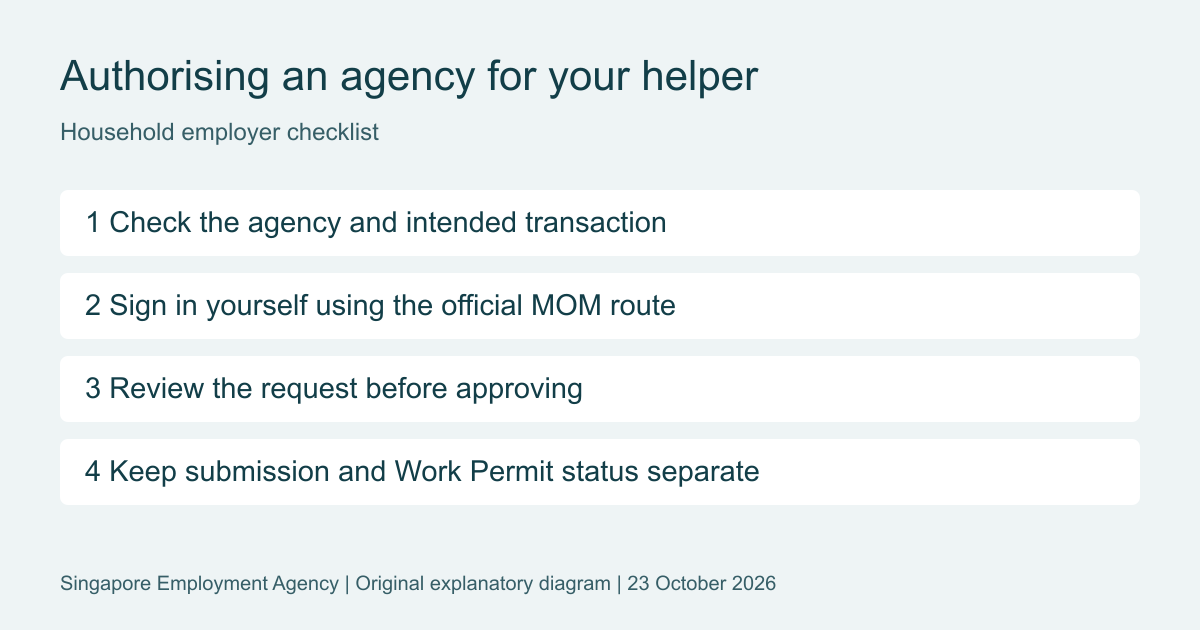
Short answer: If an employment agency is handling your domestic helper’s Work Permit, it must obtain employer authorisation using MOM’s applicable process. You normally complete your part through the FDW eService with your own Singpass. Signing an agency service agreement or sending documents does not replace this step.
This guide is for household employers of migrant domestic workers (MDWs), also called FDWs or domestic helpers. It explains what to prepare, what to check before approving a request, and how to distinguish authorisation from an actual Work Permit application.
Start with the right MOM service
Use MOM’s FDW eService page. It has separate login routes for employers or sponsors and for employment agencies. Household employers should not follow a company’s EP application or Corppass-administrator instructions to approve a helper transaction.
The service supports transactions such as applications, issuance, renewal and cancellation. MOM still directs certain tasks, including card-delivery status and replacement-card applications, to WP Online. Start from the official service page rather than assuming every helper matter uses the same screen.
Before an agency sends the request
First, agree what you want the agency to do. A new overseas hire, an existing helper’s renewal and a transfer are different tasks. Ask for a short explanation of the proposed transaction and the next step after authorisation.
Check the agency and the person assisting you against MOM’s EA Directory. You can verify the agency’s licence and the personnel’s registration. Compare these details with the service agreement and the request you receive. A familiar trading name or messaging profile is not a substitute for that check.
Keep three things ready: access to your Singpass, the email address agreed with the agency, and a clear record of the helper and task concerned. Discuss the service scope and fees separately. Authorisation should not leave you guessing which application is being prepared or which charges remain payable.
How the authorisation request works
Under MOM’s published authorisation process, the agency searches for the employer, selects the relevant transaction and initiates the request. The employer then logs in to approve or reject it. The process can use an email request or the official login route arranged while the employer is present.
- Expect the request. Confirm with the agency that it has initiated the intended transaction. Treat an unexpected request as something to investigate, not approve automatically.
- Open the official route. Check the destination before signing in. If an email looks suspicious, return to MOM’s published eService page and contact the agency using details you already verified.
- Read before approving. Check the agency and transaction details shown. If the request differs from your instructions, stop and ask the agency to correct or explain it.
- Keep the confirmation. Note when you responded and ask the agency to confirm whether the next transaction has actually been submitted. Keep that submission confirmation separately.
Watch the two different deadlines
MOM’s authorisation FAQs set a seven-day response window for the employer. If it lapses, the agency needs to send a fresh request.
After approval, the general transaction window is 14 days. Some follow-up transactions can take place later, with the relevant deadline stated in MOM’s transaction emails. Do not treat the authorisation as an unlimited or permanent mandate. Ask the agency which deadline applies if travel, documents or insurance arrangements change.
The approval is given to the agency, not personally to one staff member. A different authorised employee of that same agency may handle the work. If your contact moves to another agency, the old authorisation does not automatically follow them.
Keep your Singpass private
You should perform your own authentication and review. Do not send an agent your Singpass password, app passcode or one-time login code. Do not approve an unexplained login notification to speed up the application.
Singpass’s security guidance warns against sharing your Singpass ID, password or two-factor authentication details. Check that the Singpass login domain is singpass.gov.sg. An agency can explain the procedure without taking over your digital identity.
What if you cannot use Singpass?
Raise the access problem early. MOM publishes an authorisation form for employers without Singpass access. The form is valid for 14 days from the employer’s authorisation and applies to the helpers and transactions identified in it. The agency should confirm the current submission and verification requirements with MOM. Do not assume an old signed letter or an incomplete form is enough.
A family member’s help is also distinct from agency authorisation. MOM permits eligible relatives to apply to act on an employer’s behalf for specified tasks, including levy matters, short extensions and renewals. They use their own Singpass after approval. Read MOM’s family-member requirements before assuming a relative can perform every transaction.
Authorised, submitted, approved and issued are different stages
Ask for the exact status, not simply whether the matter is “done”. Employer authorisation lets the agency proceed with the permitted transaction. It does not prove an application has been submitted, approved or issued.
For a new helper application, MOM’s application process separately requires the helper’s written consent and, after approval, the relevant arrival and issuance formalities. Do not use an authorisation confirmation as evidence that the helper may start work.
Frequently asked questions
Does signing the agency agreement authorise MOM transactions?
Not by itself. Complete the required MOM authorisation process as well as the commercial paperwork.
What if the request has expired?
Ask the agency to check the status and send a fresh request where needed. Do not assume that replying to an old email revives it.
Do I need a separate process for a transfer?
The correct steps depend on the transfer route and the parties involved. Agree the sequence before authorising cancellation. Our helper transfer, renewal and cancellation guide explains the distinctions.
Get help with the next step
Preparing a helper application, renewal or transfer? Contact our team with a general description of the support you need. We can clarify the available service scope and fees before you proceed. Do not send Singpass credentials. MOM decides applications; assistance does not guarantee approval.
Related reading: domestic helper services and helper costs, levy and insurance.
General information, not legal advice. Official guidance checked on 23 October 2026 (Singapore time). Follow the latest MOM instructions and the conditions in the relevant transaction notices.
Little Big Employment Agency Pte. Ltd. is not affiliated with or endorsed by MOM, ICA, ACRA, MAS or IRAS.
Contacting Little Big Employment Agency Pte. Ltd. does not create a solicitor-client relationship.
Real people. Right here in Singapore.